Top Smart Lighting Systems for Home in 2026
Choosing Smart Lighting For Home in 2026 means looking beyond color-changing bulbs. A useful system should make everyday routines easier, from dimming the kitchen after dinner to lighting a hallway when someone gets up at night. It should also fit your home’s wiring, Wi-Fi, and preferred controls. Small details matter.
Harvard sleep researcher Charles Czeisler has described light as “the most powerful synchronizer of the human circadian system.” That insight helps explain why brightness and timing deserve attention alongside app features. A warm, low setting can feel more comfortable late in the evening, while brighter light may help with focused tasks. No smart bulb can fix every sleep or lighting problem, though. Room layout, daylight, and personal habits still count.
This guide compares leading home systems by setup, compatibility, control options, automation, and everyday usability. It considers whether products work with common voice assistants and smart-home platforms, but compatibility can change with software updates. We also look at practical costs: starter kits may seem affordable, yet adding switches, sensors, or extra bulbs increases the total. Not every feature is useful.
Expect trade-offs. Some systems offer polished automation but depend heavily on a hub; others are simpler but less flexible. The best choice is not always the most expensive one. Use the comparisons to identify a system that suits your rooms, routines, and budget—and check current specifications before buying.
What Defines a Smart Home Lighting System in 2026
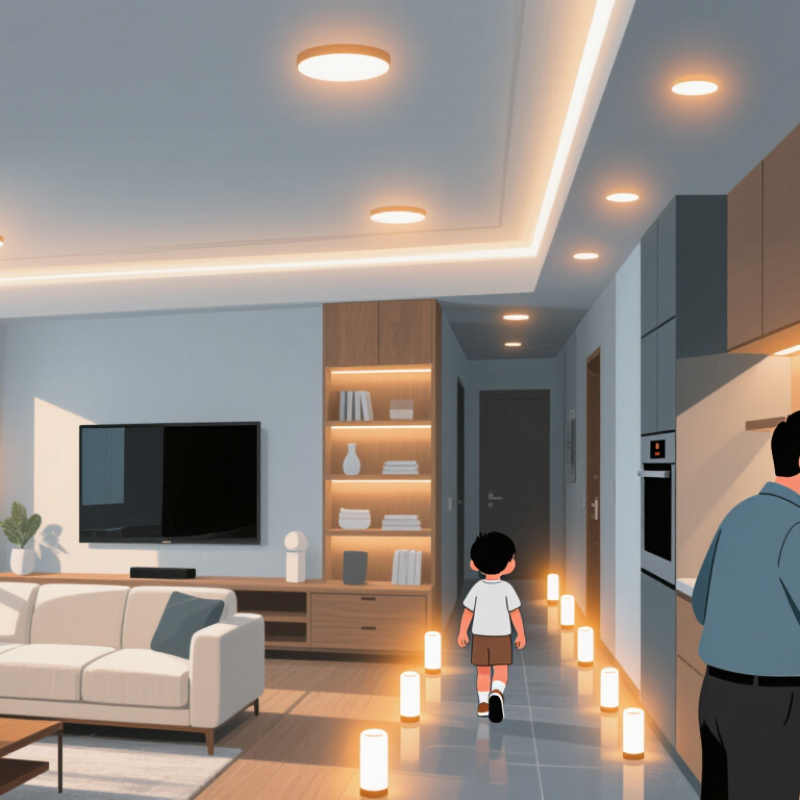
In 2026, a smart home lighting system is more than bulbs controlled by an app. It connects lights, switches, sensors, and schedules so rooms respond to everyday routines. A hallway light might turn on when someone walks past, while bedroom lighting gradually dims before bedtime. Useful systems also offer clear manual controls, so a wall switch still works when a phone is elsewhere. That detail matters. Connectivity should make lighting easier, not turn a basic task into troubleshooting.
A dependable setup supports secure account access, regular software updates, and compatible devices across rooms. It should also explain what data sensors collect and let residents adjust settings. Voice control can help, but it should not be the only option. Some features may stop working during an internet outage, so check whether local controls and schedules remain available. A small limitation, perhaps, but an easy one to overlook.
Tips: Test one room first. Check dimmer compatibility, Wi-Fi coverage, and how the lights behave after a power cut. Set warm, lower brightness for evening use, then adjust by comfort; personal preference varies.
The best system fits the home’s wiring and habits. Track energy use if the system provides reliable readings, but treat estimates as estimates. A dashboard can look precise without showing every factor behind a bill. Simplicity wins.
Core Technologies and Ways to Control Smart Lighting
Top Smart Lighting Systems for Home in 2026
Smart lighting combines efficient LED sources with wireless communication, sensors, and software. LEDs provide the light; control systems decide when and how brightly they shine.
Common connections include Wi-Fi, Bluetooth, Zigbee, and Thread. Matter can help compatible devices communicate across different smart-home platforms, though setup and feature support still vary. Check the connection type before buying. A lamp that needs a separate hub may not suit every home.
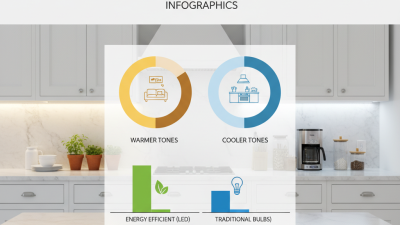
Control options range from a wall switch to an app, voice command, schedule, or motion sensor. Dimming and warm-to-cool color adjustment can make a kitchen brighter for meal preparation and a bedroom softer at night. Daylight sensors can reduce artificial lighting near sunny windows.
The U.S. Department of Energy reports that residential LEDs use at least 75% less energy and last up to 25 times longer than incandescent lighting. Those figures describe LEDs, not guaranteed savings from automation; actual results depend on use and settings.
Tips: Start with one room. Set a schedule, then check whether it matches your routine. Keep a physical switch accessible for guests and household members who do not use apps. One caveat: motion sensors can switch lights off while someone sits still. I still prefer testing sensor placement for a few days before relying on it.
Leading Smart Lighting Systems for Different Home Needs
Top Smart Lighting Systems for Home in 2026
The right home lighting system depends on the room, the people using it, and the controls they will actually tolerate. For a hallway, motion sensors can switch lights on during a late-night walk, then turn them off automatically. In a living room, adjustable white tones and dimming suit reading, meals, and winding down. Small rooms differ. The U.S. Department of Energy’s Energy Saver guidance says LEDs use at least 75% less energy than incandescent lighting and can last up to 25 times longer. But savings depend on sensible schedules, not just smart features.
For renters or older homes, wireless bulbs and plug-in controls avoid major rewiring; check that switches and dimmers remain compatible. Larger homes may benefit from room-based controls, scenes, and a dependable hub, especially where Wi-Fi coverage fades behind thick walls. The International Energy Agency has estimated that lighting accounts for about 15% of global electricity use, making efficient choices worthwhile beyond convenience.
That sounds easy; it isn’t. Poorly placed sensors can leave a desk dark, while app-only controls frustrate guests. Test one room first, note where light falls on the floor and work surfaces, then expand only if the routine feels genuinely easier.
How Smart Lighting Systems Compare in Features and Compatibility
Smart lighting systems differ most in how reliably they connect, not how many colors they offer.
Wi-Fi bulbs join a home router directly, while Thread devices create a low-power mesh and need a compatible border router. Zigbee lights usually require a hub. Matter can improve cross-platform compatibility, but it does not guarantee every app supports every feature. Scenes, adaptive brightness, and motion-triggered routines may still vary.
Compatibility matters at the switch, too.
A smart bulb may lose its settings when someone turns off the wall switch. Smart switches avoid that problem, but need compatible wiring and careful installation.
The U.S. Department of Energy’s Energy Saver guidance says LEDs use
at least 75% less energy
and can last
up to 25 times longer
than incandescent bulbs. The International Energy Agency has estimated lighting accounts for roughly
15% of global electricity use.
Efficient hardware helps, but schedules and dimming determine whether a household actually saves energy.
Setup can be fiddly.
Check your router, hubs, and preferred voice assistant before buying; even then, one feature may not work as expected.
Choosing and Setting Up a Smart Lighting System at Home
Choosing a smart lighting system starts with the room, not the app. List the lights you want to control, then check their bulb type, dimmer compatibility, and Wi-Fi or hub requirements. For a hallway, motion-based control may be useful; in a bedroom, gradual dimming can feel less abrupt. Keep it simple. A system that needs frequent troubleshooting is unlikely to become part of your routine.
The U.S. Department of Energy reports that residential LEDs use at least 75% less energy and can last up to 25 times longer than incandescent bulbs. Its Energy Saver guidance also estimates that lighting accounts for about 15% of an average home’s electricity use. These figures support choosing efficient bulbs, but actual savings depend on usage and settings. Smart controls cannot compensate for lights left on all night.
During setup, install one bulb or switch first and test it from the intended control point. Check whether the wall switch must stay on, and make sure dimming works without flicker. Set a schedule for one room before automating the whole home. That may feel slow. It can prevent a frustrating evening of resetting devices. I would also review account permissions and network settings; convenience is only useful when controls remain dependable.